
.svg)

What Handshaik built for dealmakers in H1 2026
Jul 21, 2026
0
min.
read
TL;DR
- After a successful closed beta, we launched Handshaik in April 2026
- Since January 2026, we’ve introduced collaborative Target Lists, rebuilt the Find functionality, and shipped a lot of small but impactful improvements, like custom Nurture stages, the control panel, and pipeline analytics
- Team Target Lists give every company on a list a named owner, with clear roles (Owner, Editor, Viewer), bulk reassignment, cross-org assignment, and conversion analytics by assignee
- Find now offers AI-powered and classic filter-based search across almost 6 million UK companies from the same interface, including People Search and advanced filters
- We’ve rebuilt Nurture with custom stages (colour-coded, with your own icons), a new Analytics tab, and trading status badges across the full platform
- Additional updates include a command palette for instant navigation, customisable Company Overview widgets, a full import and export overhaul with support for up to 50,000 rows, richer company data, self-serve billing, and faster everyday workflows
We're officially past the halfway point of the year. And, after a successful raise towards the end of last year, we launched with early pilots in January and released to the public in April.
Since then, we’ve rebuilt the Find functionality, introduced Team Target Lists (and people search!), and rolled out a lot of updates that we’re excited to share with you.
We’ve made Find more powerful
We redeveloped and re-launched Find to give you two unique ways to search. Either use our new, AI-powered search to identify targets, or use the classic, filter-based search. It’s easy to switch between them depending on the nature of your search.
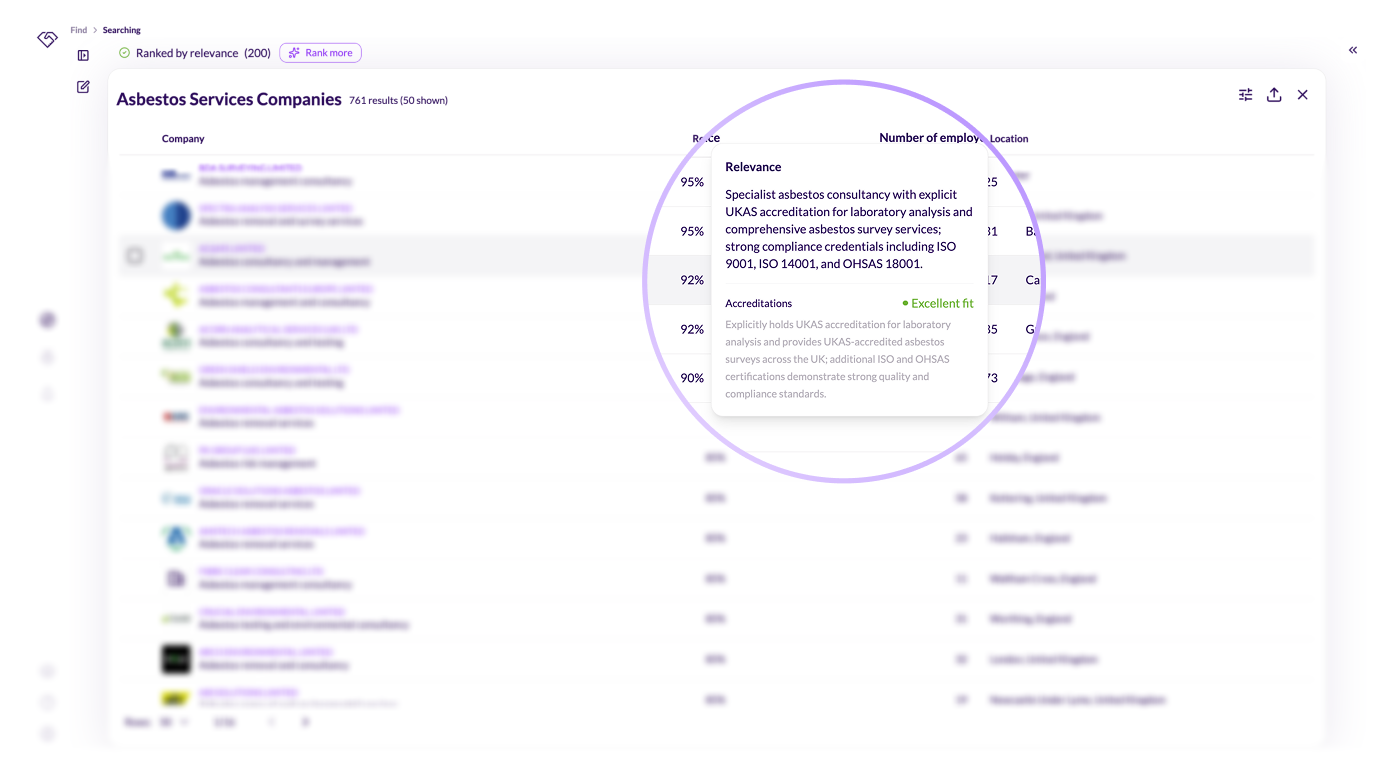
AI-powered sourcing and scoring
Describe your target in natural language and the platform searches across close to 6 million UK companies, returning results with an explanation of exactly why each one fits the user’s brief. This drastically reduces time spent researching and qualifying leads.
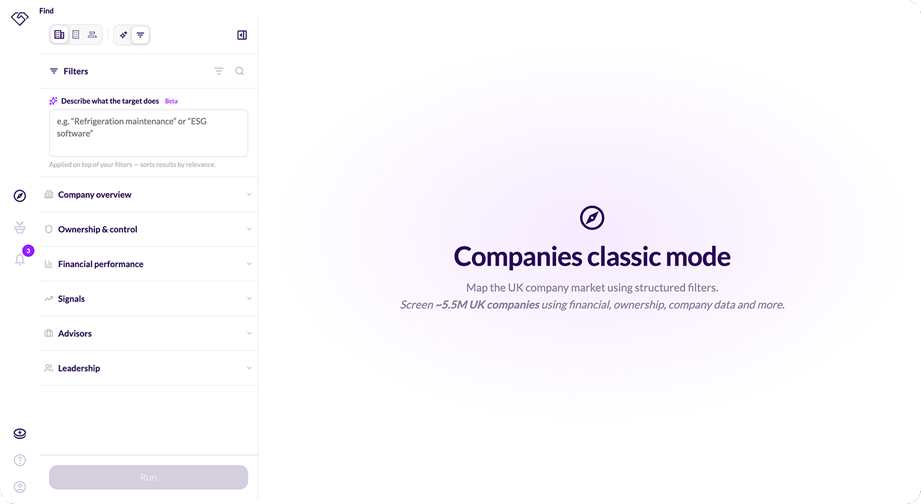
Classic search advanced filters
In Handshaik’s classic search, you can build structured searches using filters such as sectors, sub-sectors and specialisms. Then pair that with location, financials, ownership, and other key firmographic data. Further filter by growth and succession signals. You can even see which auditor, accountant, or bank a company uses.
We’ve added an AI search box to enable a hybrid search. All the control and predictability of filters, combined with the freedom of natural language target descriptions.
Save your favourite filter combinations, so you can reapply them in a click for the searches you run regularly.
People search
If there’s one feature we didn’t expect to land this early, it’s definitely our People search. After all, company search is only one side of origination. With people search, every UK individual on LinkedIn is now inside Handshaik too. Refine by job title, department, seniority, location, skills, interests, education, job changes, follower count, and more.
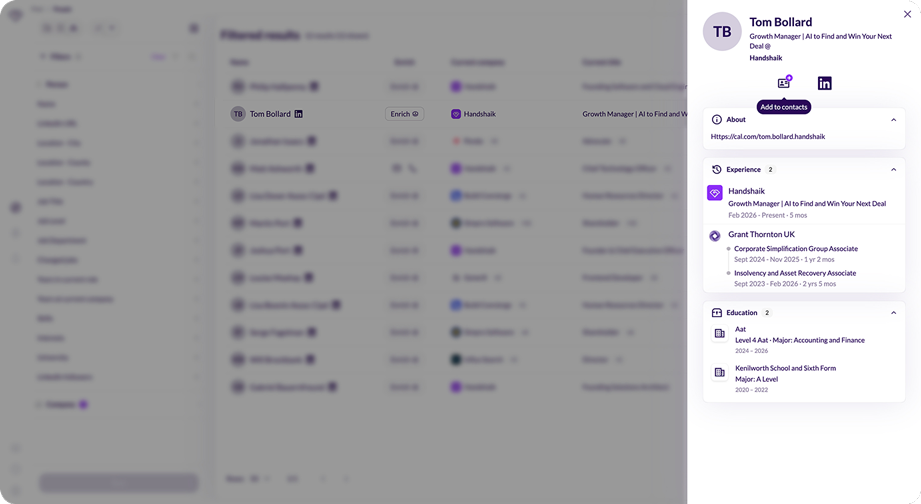
By Q4, we'll match those individuals to the companies they work for, so enrichment gets easier and People search gets more powerful again. Find every Investment Manager at a PE house deploying £5m to £50m cheques, or every Ops Director at a PE-backed Fire & Electrical Maintenance company turning over £10m plus.
Contact enrichment
Global contact enrichment with unrivalled coverage. Users can now access mobile numbers and email addresses from over 20 premium providers, including Apollo, Wiza and ContactOut. Once you identify the right target, you can reach them every time.
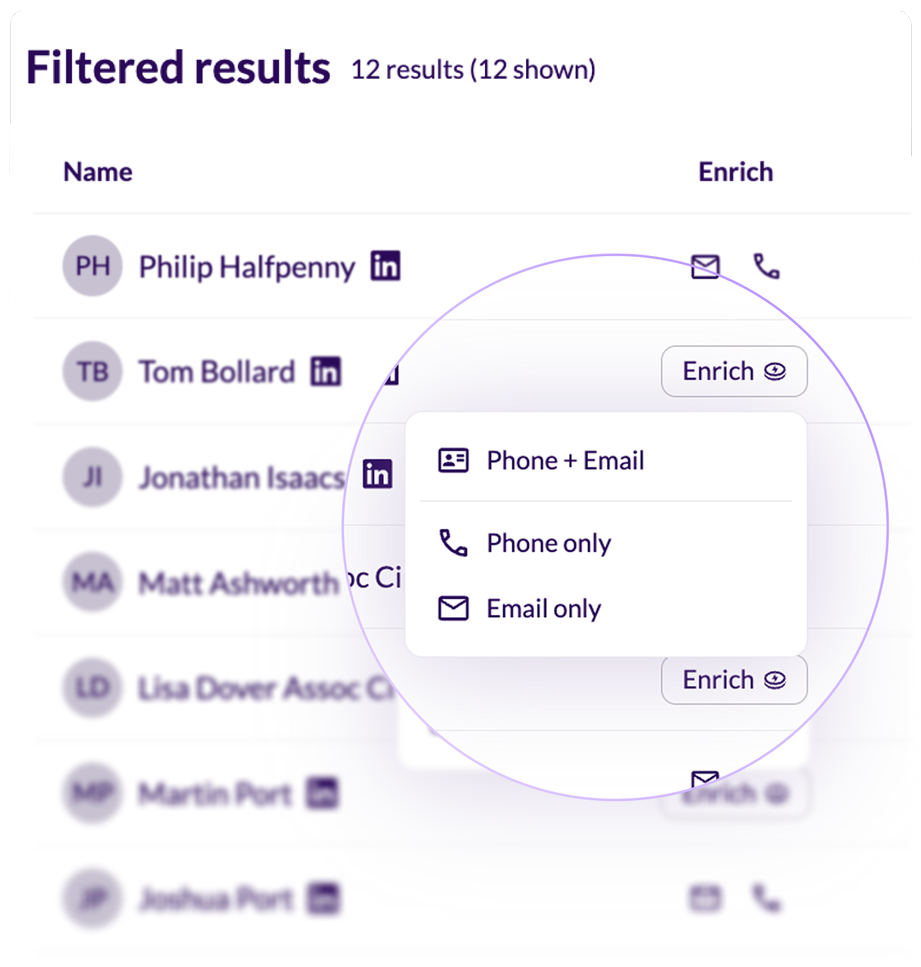
We know dealmakers typically target shareholders, directors and PSCs, so we built a way to instantly enrich these individuals.
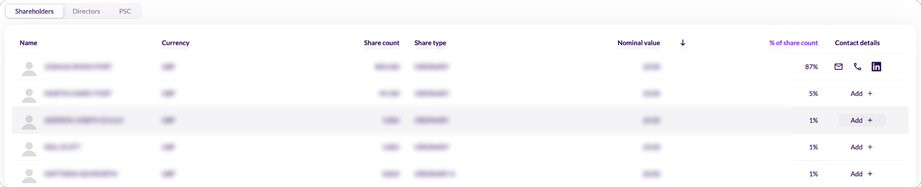
Go to market together
Target lists have always been a team resource in practice. We know the platform should work like it.
Roles and access
Every list now has an Owner. Invite teammates as Editors (who can work the list), or Viewers (who have read-only access to stay in the loop). Set roles when you invite them, and you can change their access at any time. Ownership can also be transferred to any editor in a single click, so the list survives team changes without losing what you’ve built.
Assignees and tracking
The best teams go to market together. No more exporting to a spreadsheet or pasting into chat to figure out who’s working which account.
Every company on your list now has a named assignee. Add a company and you’re automatically assigned. The assignee column shows who’s running each account at a glance, with nothing left out, and nobody reaching out twice.
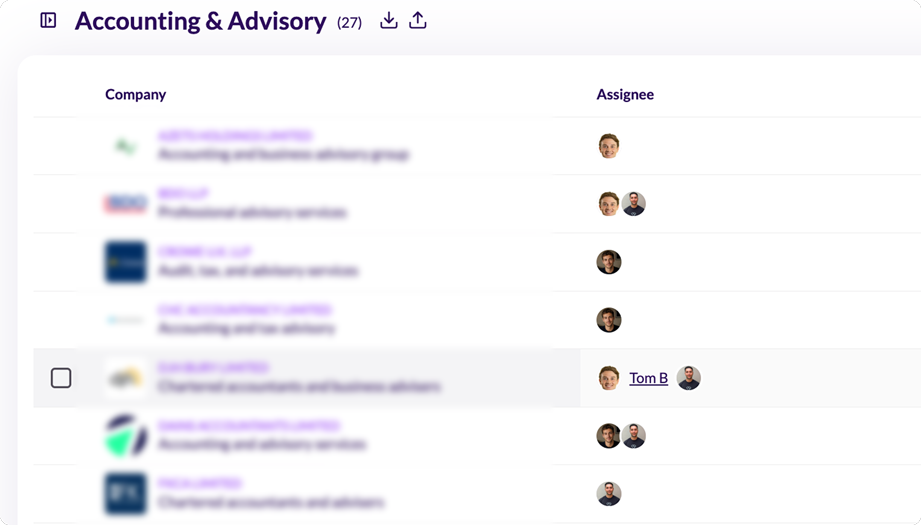
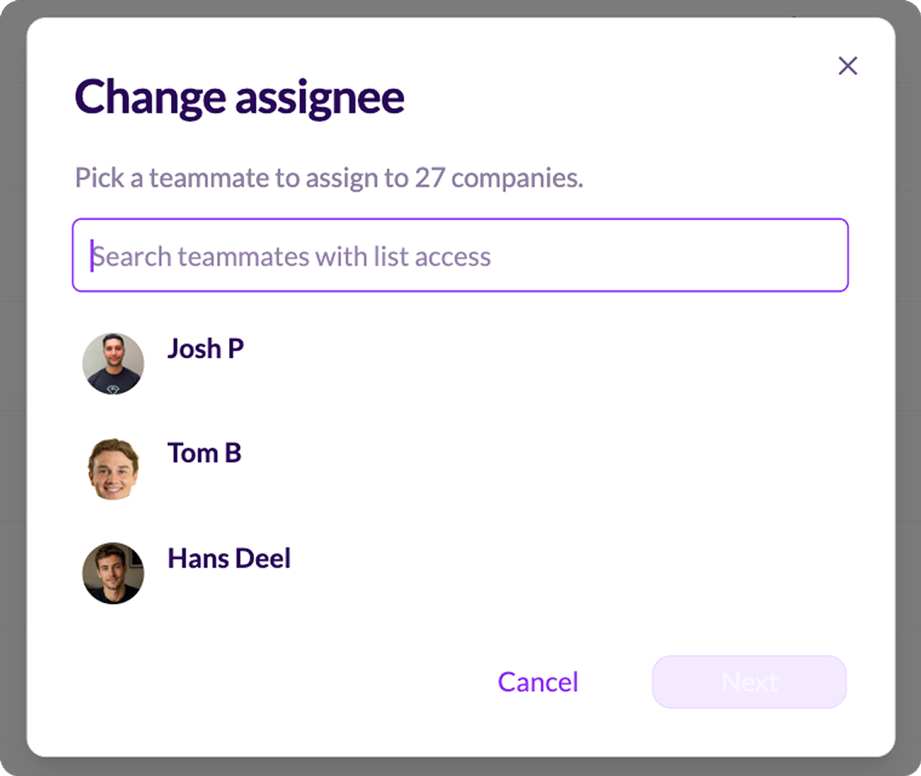
Group nurture conversion analytics by assignee to see whose accounts are progressing, and who could use a little extra support. If you need to handover accounts in bulk, this can be done in seconds.
Nurture and pipeline analytics
The features so far have been is neat, but being able to shape your pipeline around how your team and business works is even better.
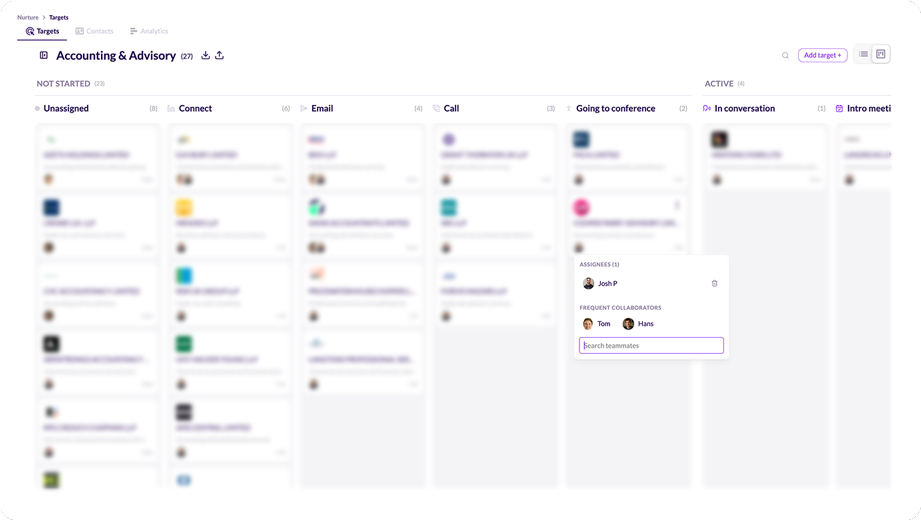
Custom nurture stages
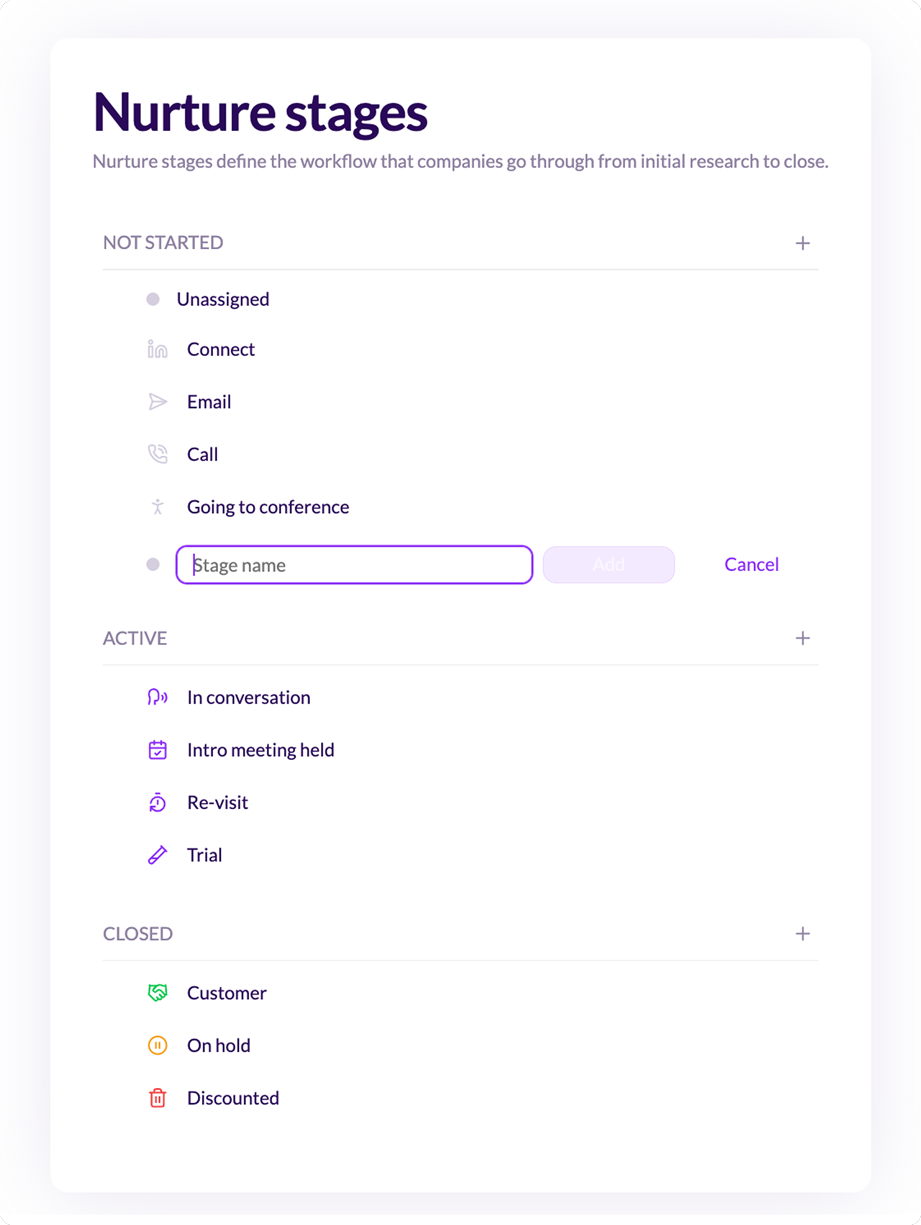
Create, rename, reorder, and colour-code stages with your own icons, to create a pipeline that reflects how your team nurtures targets, without forcing your sales function into a funnel that doesn’t fit.
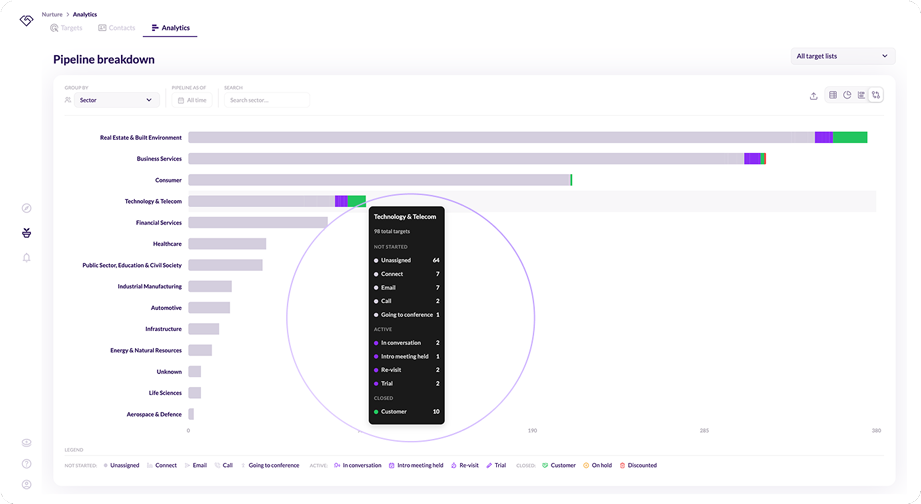
Pipeline analytics
We’ve given you a new analytics tab to track pipeline progress by team, user, sector and sub-sector. This kind of deep segmentation allows teams to walk into BD meetings with clear conversion rates at a glance so you can see where momentum’s building (and where you’re losing it, too).
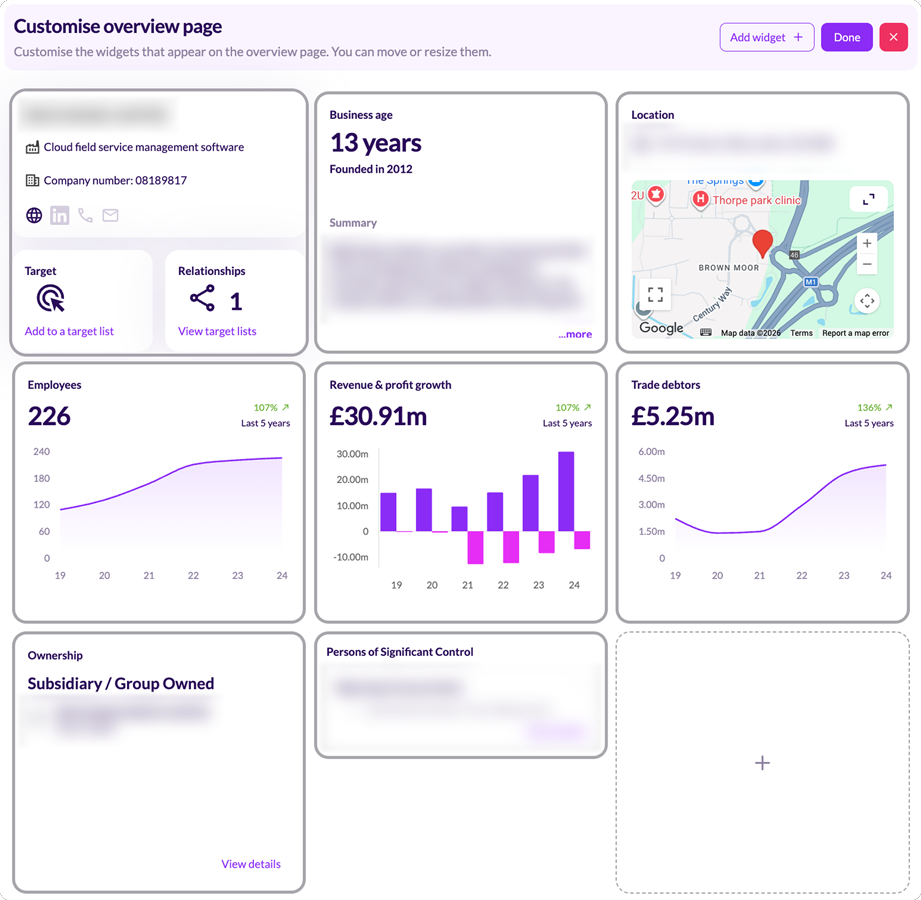
Company Overview
Every user values different information, so one-size-fits-all company profiles don’t work. You can now build their own overview page with resizable, reorderable widgets that surface what matters most. Compare financial metrics using custom charts and tables, jump straight to Companies House filings, and create a workspace tailored to the way they analyse businesses.
Import and export
We built and refined our import and export functionalities, so you can move data between Handshaik and your CRM or outreach tool without friction.
Import
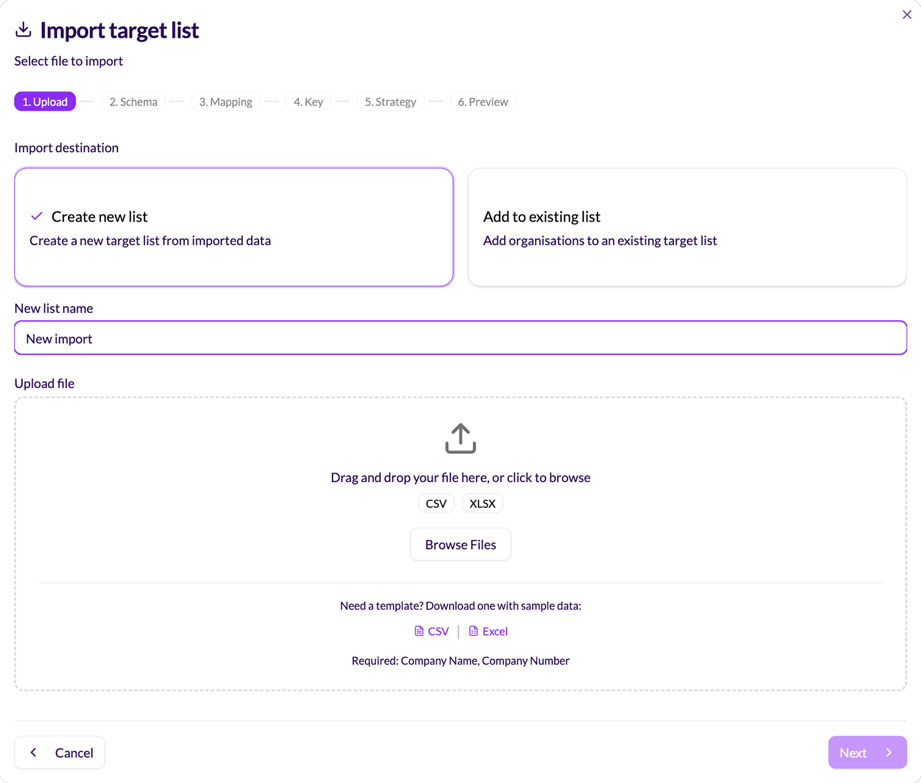
Bring your data into Handshaik with ease. Import existing companies or contacts directly into Target Lists, whether it’s a LinkedIn export, an event attendee list or your own prospect database.
We’ve also significantly expanded our import capability. CSV and Excel files now support up to 50,000 rows, making it easy to onboard large datasets in minutes.
Export
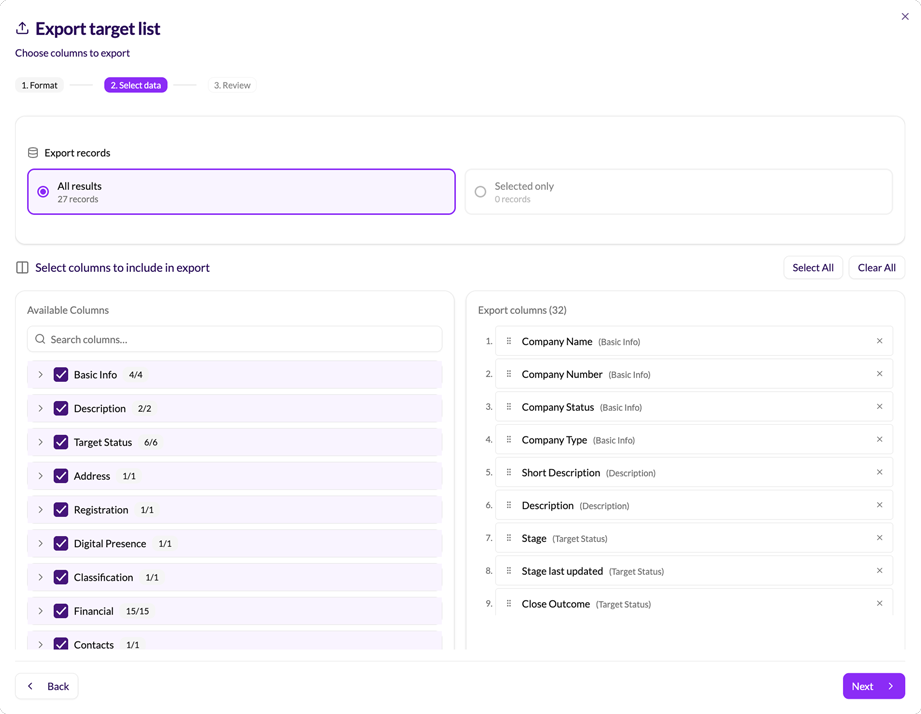
Export target companies and contacts out with Handshaik enriched data, ready to fuel your go-to-market tool suite with actionable, quality data.
Notifications
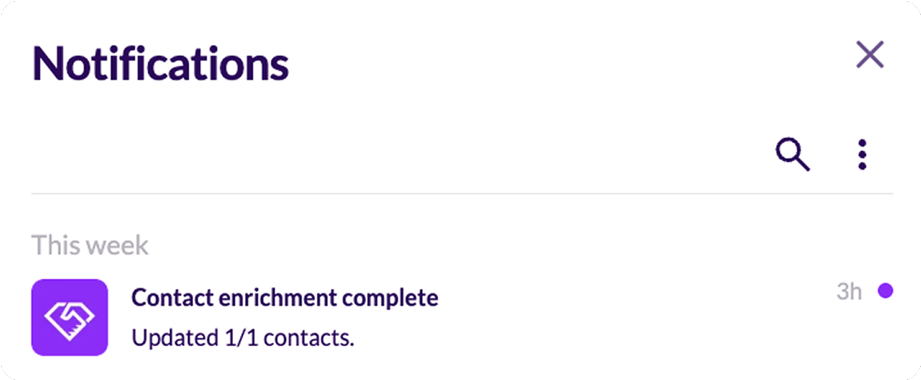
Never miss an important update. The Notifications centre keeps you and your team informed in real time, whether an AI search has finished, contact enrichment has completed, or you’ve been assigned new targets or added to a Target list.
Introducing the control panel
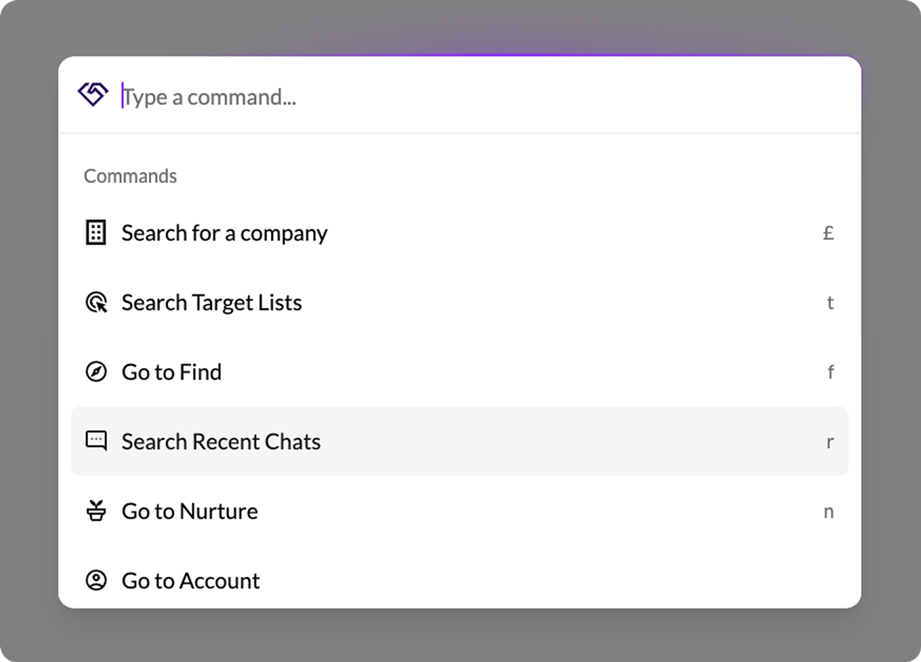
Last (but not least), we’ve made navigating the platform without a mouse easier with the control panel. Press Cmd+K on Mac or Ctrl+K on Windows to navigate, search companies, and open target lists without touching the mouse. Jump straight to any tab in a company profile using the Tab key. Search and reopen recent Find chats to pick up exactly where you left off.
Smaller improvements
Alongside the new features and functionality, we’ve also introduced a lot of little improvements that are designed to make your dealmaking better, every day:
- Richer company data: Average director ages, advisor details, debtors calculations to support turnover estimates and many more data points sit directly on company profiles.
- Self-serve billing: View and manage every saved payment card, and add new cards without needing to contact us
- Faster workflows: Instant list renaming, persistent filter sidebars, clearer batch actions across pages, move or duplicate targets from one list to another, and relevance scores in Find make your everyday workflows easier
What could H2 look like for your team if you started using Handshaik? Find out for yourself at handshaik.com
Written by
.png)
Josh Port
Founder & CEO
Share


TL;DR
- After a successful closed beta, we launched Handshaik in April 2026
- Since January 2026, we’ve introduced collaborative Target Lists, rebuilt the Find functionality, and shipped a lot of small but impactful improvements, like custom Nurture stages, the control panel, and pipeline analytics
- Team Target Lists give every company on a list a named owner, with clear roles (Owner, Editor, Viewer), bulk reassignment, cross-org assignment, and conversion analytics by assignee
- Find now offers AI-powered and classic filter-based search across almost 6 million UK companies from the same interface, including People Search and advanced filters
- We’ve rebuilt Nurture with custom stages (colour-coded, with your own icons), a new Analytics tab, and trading status badges across the full platform
- Additional updates include a command palette for instant navigation, customisable Company Overview widgets, a full import and export overhaul with support for up to 50,000 rows, richer company data, self-serve billing, and faster everyday workflows
We're officially past the halfway point of the year. And, after a successful raise towards the end of last year, we launched with early pilots in January and released to the public in April.
Since then, we’ve rebuilt the Find functionality, introduced Team Target Lists (and people search!), and rolled out a lot of updates that we’re excited to share with you.
We’ve made Find more powerful
We redeveloped and re-launched Find to give you two unique ways to search. Either use our new, AI-powered search to identify targets, or use the classic, filter-based search. It’s easy to switch between them depending on the nature of your search.
AI-powered sourcing and scoring
Describe your target in natural language and the platform searches across close to 6 million UK companies, returning results with an explanation of exactly why each one fits the user’s brief. This drastically reduces time spent researching and qualifying leads.
Classic search advanced filters
In Handshaik’s classic search, you can build structured searches using filters such as sectors, sub-sectors and specialisms. Then pair that with location, financials, ownership, and other key firmographic data. Further filter by growth and succession signals. You can even see which auditor, accountant, or bank a company uses.
We’ve added an AI search box to enable a hybrid search. All the control and predictability of filters, combined with the freedom of natural language target descriptions.
Save your favourite filter combinations, so you can reapply them in a click for the searches you run regularly.
People search
If there’s one feature we didn’t expect to land this early, it’s definitely our People search. After all, company search is only one side of origination. With people search, every UK individual on LinkedIn is now inside Handshaik too. Refine by job title, department, seniority, location, skills, interests, education, job changes, follower count, and more.
By Q4, we'll match those individuals to the companies they work for, so enrichment gets easier and People search gets more powerful again. Find every Investment Manager at a PE house deploying £5m to £50m cheques, or every Ops Director at a PE-backed Fire & Electrical Maintenance company turning over £10m plus.
Contact enrichment
Global contact enrichment with unrivalled coverage. Users can now access mobile numbers and email addresses from over 20 premium providers, including Apollo, Wiza and ContactOut. Once you identify the right target, you can reach them every time.
We know dealmakers typically target shareholders, directors and PSCs, so we built a way to instantly enrich these individuals.
Go to market together
Target lists have always been a team resource in practice. We know the platform should work like it.
Roles and access
Every list now has an Owner. Invite teammates as Editors (who can work the list), or Viewers (who have read-only access to stay in the loop). Set roles when you invite them, and you can change their access at any time. Ownership can also be transferred to any editor in a single click, so the list survives team changes without losing what you’ve built.
Assignees and tracking
The best teams go to market together. No more exporting to a spreadsheet or pasting into chat to figure out who’s working which account.
Every company on your list now has a named assignee. Add a company and you’re automatically assigned. The assignee column shows who’s running each account at a glance, with nothing left out, and nobody reaching out twice.
Group nurture conversion analytics by assignee to see whose accounts are progressing, and who could use a little extra support. If you need to handover accounts in bulk, this can be done in seconds.
Nurture and pipeline analytics
The features so far have been is neat, but being able to shape your pipeline around how your team and business works is even better.
Custom nurture stages
Create, rename, reorder, and colour-code stages with your own icons, to create a pipeline that reflects how your team nurtures targets, without forcing your sales function into a funnel that doesn’t fit.
Pipeline analytics
We’ve given you a new analytics tab to track pipeline progress by team, user, sector and sub-sector. This kind of deep segmentation allows teams to walk into BD meetings with clear conversion rates at a glance so you can see where momentum’s building (and where you’re losing it, too).
Company Overview
Every user values different information, so one-size-fits-all company profiles don’t work. You can now build their own overview page with resizable, reorderable widgets that surface what matters most. Compare financial metrics using custom charts and tables, jump straight to Companies House filings, and create a workspace tailored to the way they analyse businesses.
Import and export
We built and refined our import and export functionalities, so you can move data between Handshaik and your CRM or outreach tool without friction.
Import
Bring your data into Handshaik with ease. Import existing companies or contacts directly into Target Lists, whether it’s a LinkedIn export, an event attendee list or your own prospect database.
We’ve also significantly expanded our import capability. CSV and Excel files now support up to 50,000 rows, making it easy to onboard large datasets in minutes.
Export
Export target companies and contacts out with Handshaik enriched data, ready to fuel your go-to-market tool suite with actionable, quality data.
Notifications
Never miss an important update. The Notifications centre keeps you and your team informed in real time, whether an AI search has finished, contact enrichment has completed, or you’ve been assigned new targets or added to a Target list.
Introducing the control panel
Last (but not least), we’ve made navigating the platform without a mouse easier with the control panel. Press Cmd+K on Mac or Ctrl+K on Windows to navigate, search companies, and open target lists without touching the mouse. Jump straight to any tab in a company profile using the Tab key. Search and reopen recent Find chats to pick up exactly where you left off.
Smaller improvements
Alongside the new features and functionality, we’ve also introduced a lot of little improvements that are designed to make your dealmaking better, every day:
- Richer company data: Average director ages, advisor details, debtors calculations to support turnover estimates and many more data points sit directly on company profiles.
- Self-serve billing: View and manage every saved payment card, and add new cards without needing to contact us
- Faster workflows: Instant list renaming, persistent filter sidebars, clearer batch actions across pages, move or duplicate targets from one list to another, and relevance scores in Find make your everyday workflows easier
What could H2 look like for your team if you started using Handshaik? Find out for yourself at handshaik.com
Share
Additional resources
Sep 10, 2026
0
min.
long
Andrew Cope joined vehicle leasing firm Zenith in 1989 as its most junior founder, working his way up to chief executive and taking the business through five buyouts between 2003 and 2014, growing it past £600 million in turnover, then exiting after a sixth sale to Bridgepoint Group for £750 million. Along the way, a credit crunch left the business one phone call from collapse.
He then bought vehicle management and accident recovery business FMG in an Endless-backed buyout, taking it from £22 million to over £100 million in turnover in fifteen months before selling to Redde plc.
Andrew joins Josh on After the Handshake to talk through three decades of dealmaking; why does growth take longer to compound than people expect, what private equity gets right and where it falls short, and why he ran every deal on a principle borrowed from eighteenth-century naval captains.
After the Handshake | How to Sell a Business Six Times With Andrew Cope
Written by
Josh Port
Founder & CEO

Aug 18, 2026
0
min.
long
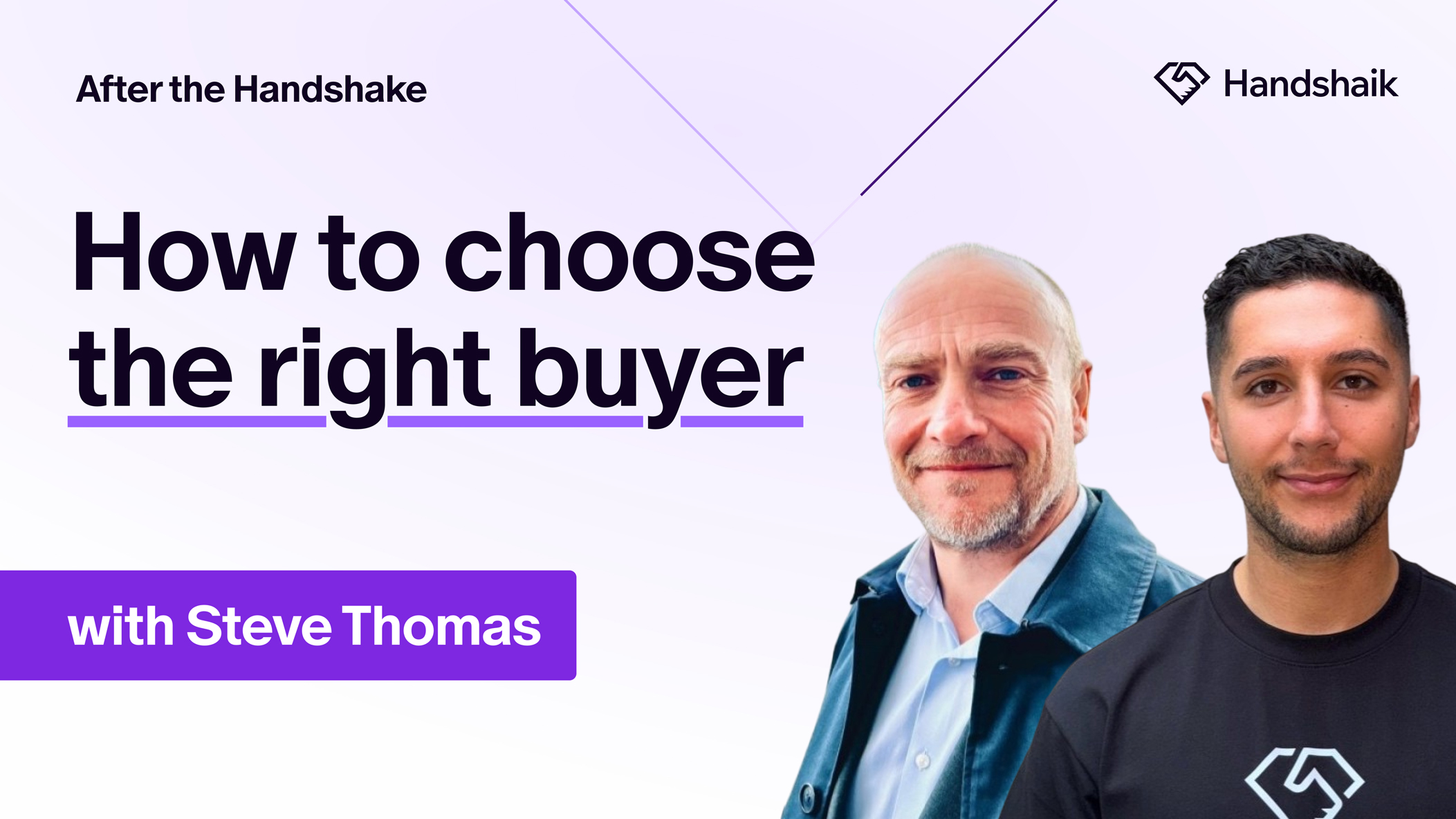
Steve Thomas and his business partners built Hallmark Fire from a spare room in 1995, building it into an eleven-million-pound fire and security business over eleven years. In 2006, he sold to a buyer who promised to protect what he'd built. Within six months, Hallmark had been sold on again, started declining, and eventually disappeared.
Three years later, Steve rebuilt with the same partners in 2009, founding Senseco Systems, and did things differently this time. Focusing on recurring maintenance revenue as the foundation, and choosing acquisitions based on their strategic fit rather than size. Senseco grew from ninety staff to over three hundred and fifty across seven sites, took investment from Foundation Investment Partners in 2019, and was acquired again this year by H.I.G. Capital-backed andwis Group to create the UK's leading and highest-accredited provider of Fire and Security services.
Steve joins Josh on After the Handshake to talk about what he got wrong the first time, what he got right the second, and why the buyer matters more than the offer.
After the Handshake | How to Choose the Right Buyer With Steve Thomas
Written by
Josh Port
Founder & CEO
Jul 31, 2026
0
min.
read
TL;DR
- MarktoMarket is a strong option for advisers, investors and dealmakers focusing on the UK & Irish markets, with in-platform private company intelligence, valuation benchmarking and a deals marketplace.
- Handshaik stands out as the end-to-end AI-native origination platform that combines company intelligence, AI-powered company discovery, waterfall enrichment and collaborative pipeline management tools in a single workspace.
- Inven AI offers a global database of companies ideal for uncovering niche and hard-to-find acquisition targets through AI-powered company discovery and thematic search tools.
- Pomanda is a cost-effective option for researching UK and Irish private companies, with SMB insights and lead generation capabilities..
- Grasp AI, Gain and Grata all centre on speeding up the deal sourcing process through search, market mapping and company insights, with varying levels of workflow and research functionality.
- No single platform does everything perfectly; the best choice depends on whether your priority is UK or global company intelligence, AI-driven sourcing, pipeline management, valuation analysis or an all-in-one origination workflow.
A quick look at the main players in dealmaking platforms
From mergers and acquisitions to investments and advisory services, MarktoMarket and other similar dealmaking platforms offer tools to organisations looking to originate deals. While there’s plenty of choice - including Handshaik, the latest competitor in the space - each platform has its strengths and weaker points.
So can MarktoMarket or any of its alternatives do it all?
Here’s a quick look at the top dealmaking software options available today, so you can see which one best suits your specific needs.
1. MarktoMarket
An established private intelligence platform originally focused on valuation and transaction data, MarktoMarket has evolved over the years to encompass private company research, deal origination, fundraising intelligence and more. An in-built marketplace function allows users to connect with counterparties, and it’s a popular choice with advisory companies, such as accountants, lawyers, and private equity firms, who want more UK-centric data and a lower price tag than global alternatives.
Pros:
- Great UK & Irish SME and lower-mid-market coverage
- Valuation and transaction benchmarking capabilities
- Deals marketplace for business brokers
Cons:
- Limited coverage internationally compared to global platforms
- Limited AI features
- No LinkedIn people search
Pricing:
- Not stated - standard/tailored subscriptions available
2. Handshaik
One of the latest MarktoMarket alternatives, Handshaik’s end-to-end, AI-native origination platform has been built by ex-Big 4 originators for M&A professionals. The platform combines deep company intelligence, AI-powered target discovery and scoring, leading contact data, and collaborative pipeline management in a single workspace. Teams can manage the entire workflow, including outreach and deal execution, supported by proprietary datasets, AI target scoring and admin-reducing automations. These are just some of the reasons Handshaik is gaining traction, fast.
Pros:
- Accurate, qualified data and daily refreshes from public registries and verified databases
- AI runs target qualification based on a users ideal target criteria and comparable companies to score fit of results
- LinkedIn people profile search, plus 20+ premium data vendors built-in to perform waterfall enrichment for the strongest coverage mobile numbers and emails
- Collaboration tools and pipeline analytics dashboards come standard so teams can go-to-market connected and informed
Cons:
- Newer platform, not as established as MarktoMarket and other alternatives
- No transaction data (coming soon)
Pricing:
- Transparent pricing, starting from £50 per licence, per month
3. Inven AI
Another addition to the deal sourcing and mark to market software landscape, Inven utilises LinkedIn companies, contacts and other web data to build their global universe. Inven is popular among European private equity, search funds and investment banks targeting more specialised verticals. Inven’s AI-powered search helps users drill deeper than typical legacy data tools.
Pros:
- Global database of companies and contacts
- Powerful thematic search function
- Simpler, more modern workflow compared to other platforms
Cons:
- Grounded in LinkedIn data, making it difficult to accurately map to UK registries, with 28m companies globally and close to 6m companies in the UK alone
- The quality of data coverage varies significantly depending on geographic location
Pricing:
- Not stated – pricing calculated on user numbers and usage
4. Pomanda
A great tool for researching SME and private company profiles, by drawing on data from public registries and other sourced databases, Pomanda has been built with accessibility in mind, making it a great option for lenders, accountants, business brokers and consultants. Covering company financials, valuation estimates, growth trends, and sector benchmarks, it’s ideal for lower-to-mid-market advisory work.
Pros:
- Full company coverage across the UK and Ireland
- Grounded in registered company data, resulting in strong financial and ownership depth
- Simple plans, with fair, transparent pricing
Cons:
- Lacking in transactional intelligence depth
- Traditional UI, with basic search capabilities
- Additional software required to manage the full pipeline
Pricing:
- Day pass £15
- Business £25/month
- Sales £100/month
- Advisors £2,500/annum
- Investors £3,000/annum
5. Grasp AI
With a strong focus on company identification, market analysis and faster deal origination workflows, Grasp AI works best when used in combination with other data sources. An intelligent company discovery and market research tool for mid-large cap deals, geared to support investment banks, private equity and management consultants. Grasp is great for highlighting company relationships that may not surface through more traditional search methods.
Pros:
- Fast thematic research capabilities to identify buy and sell side targets
- Easy to use for those with less database experience
- AI-first workflow design
Cons:
- Often needs supplementing with additional data platforms
- No pipeline management capabilities, with lists delivered in Excel style tables
- Less sophisticated than more established alternatives
Pricing:
- Not stated – users report high-cost enterprise-level contracts – apply for demo
6. Gain AI
Aggregating information on private companies, sponsors, competitive landscapes, industries and transactions, Gain positions itself as a ‘super app’. Built with an emphasis upper-mid to large cap deals, Gain is a premium platform that offers AI-powered search, screening and market mapping tools, transaction data, plus strong analysis capabilities in a single app.
Pros:
- Proprietary live deals feed
- Strong integrated workflows
- Delivers fast market views of target sectors
Cons:
- Global coverage but more limited outside Europe and the US
- Sparse company data for businesses with <10 employees
- Sector analysis can be generic
Pricing:
- Not stated – users report high-cost enterprise-level contracts – free trial available
7. Grata & Sourcescrub
Grata & Sourcescrub have now combined forces, boasting excellent contextual intelligence and market-mapping capabilities. Focusing on middle-market M&A, the platforms analyse company activities in detail, allowing users to identify the best targets – including those that may not appear on traditional databases. As an enterprise-level platform, some users find the cost difficult to justify for smaller M&A operations.
Pros:
- Excellent ‘similar company’ and semantic search capabilities
- Integrates with CRM systems such as Salesforce and DealCloud
- Fast workflows and strong filtering functions
Cons:
- Founded in the US, their UK and European company data can be limited in depth.
- No collaborative pipeline management tools
- Data inconsistencies/missing details mean manual verification is often required
Pricing
- Not stated – users report high-cost enterprise-level contracts
8. Beauhurst
Beauhurst has built a sound reputation as a UK and German private company intelligence platform, particularly among investors and advisors. Its rich dataset combines Companies House information with funding activity, grants, acquisitions, shareholder data and growth signals, making it well suited to researching businesses and identifying opportunities.
Pros:
- Extensive UK private company data with strong funding, investment and shareholder intelligence
- Useful filters for identifying high-growth and investment-backed businesses
- Company tracking, alerts and market insights for research teams
Cons:
- Only UK & German data
- Limited AI features
- Lacks pipeline management capabilities
Pricing:
- Not publicly stated – users report high-cost enterprise-level contracts
The best MarktoMarket alternatives
If you’re seeking a high-quality dealmaking platform, the options explored all have their strengths and weaknesses. Because each brand offers varying levels of functionality, you’ll need to identify the must-have core features specific to your business needs.
For traditional UK-focused lower and mid market deals, MarktoMarket and Pomanda are worth exploring. If you’re looking for something AI-native, with enrichments and pipeline management tools, Handshaik is the strongest solution here.
Inven, Grasp, Grata & Sourcescrub offer global company and deal data solutions, whilst Gain combines this with proprietary datasets that help it stand out on the mid-large cap stage.
Ultimately, don’t just read a website or a company’s marketing. Speak to users, get a demo, assess it in practice against your workflows and digest the commercials. At that point, you have everything you need to make an informed decision. Then it’s time to start dealmaking!
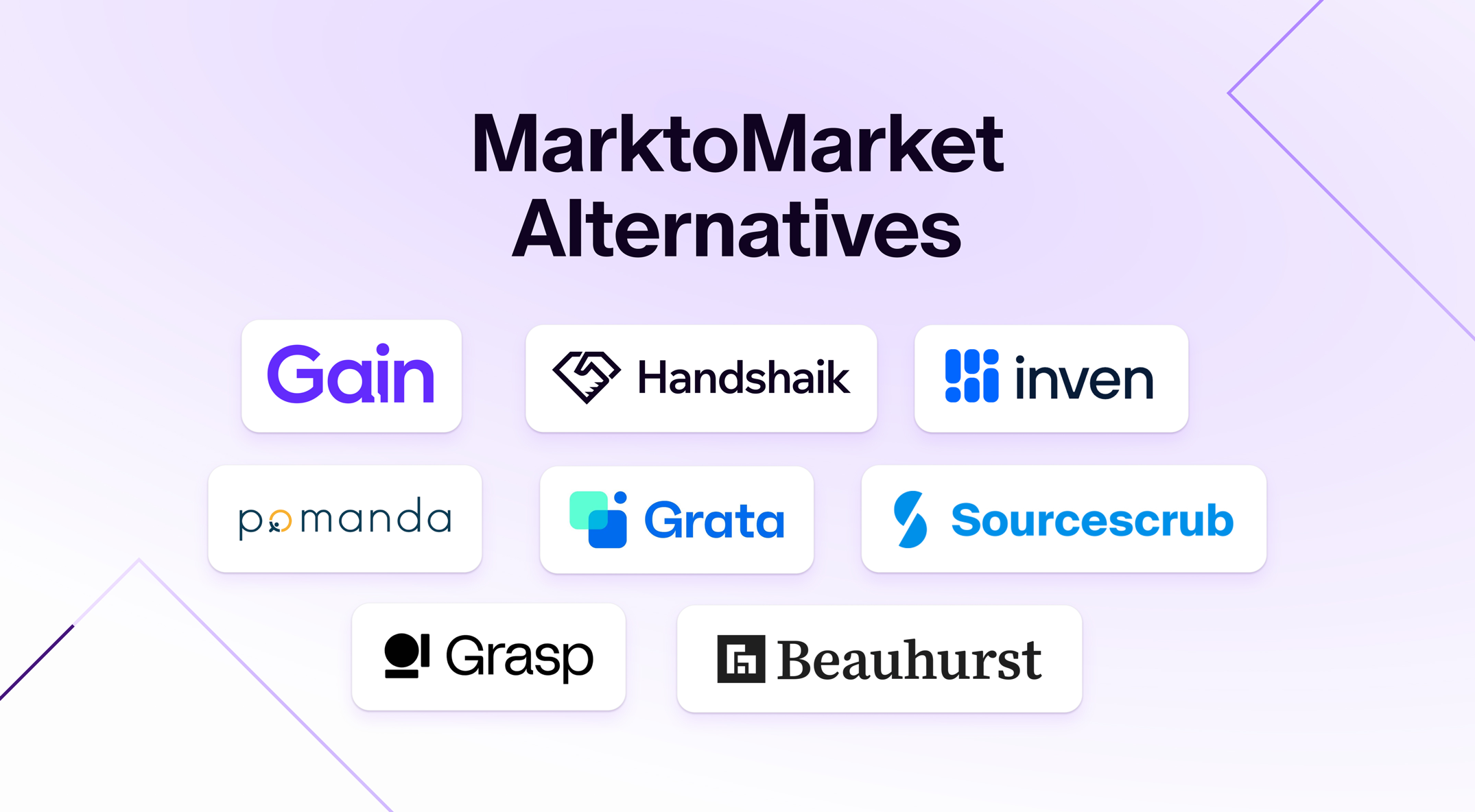
Eight deal sourcing software solutions – MarktoMarket and popular alternatives
Written by
Josh Port
Founder & CEO
Jul 8, 2026
0
min.
long
Kirsty and Neil Scott started Veriflo at their dining room table in 2015, with two young children, and two rules that never changed. They never risked the house, and they never let the business come before their marriage.
Almost a decade later, they sold the business to Inflexion-backed Celnor Group, under the strict conditions that Veriflo would keep its name, culture, and the team that they’d built.
The same rules that protected their home and their business decided who they sold to.
Selling Veriflo was never about walking away from the team who'd built it with them, so they picked a buyer who would let it stay Veriflo at its core. Celnor promised no rebrand, and its badge and culture would stay intact.
And they kept that promise, within a day of the deal completing, their Operations Director became Managing Director.
Now, two years on, they’re both sitting down with Josh to talk about the deal, their journey, and everything they’ve learnt along the way.
After the Handshake | How to Build a Business With Your Partner with Kirsty & Neil Scott
Written by
Josh Port
Founder & CEO

Jun 19, 2026
0
min.
read
TL;DR
- Build Concierge is an AI-powered customer engagement platform for field services businesses in the UK
- Based in Leeds, its sales development team recently used Handshaik for a data enrichment exercise
- From an initial cohort of 60,000 LinkedIn connections, Build Concierge were able to drill-down into 17,000 ICP prospects, enriched with up-to-date phone numbers and email addresses for outbound marketing activity
- Simon Field, Co-founder of Build Concierge, says Handshaik is “the dealmaking tool for anyone who’s serious about growing their business”
- Now, they’re looking forward to further utilising the platform through the new people search functionality, finding the right decision-maker within a target business
Building a pipeline with the right people
Build Concierge is an AI-powered customer engagement platform for the UK field service management industry. Trusted by businesses across drainage, heating, ventilation, and air conditioning (HVAC), electrical, fire and security, and plumbing and heating, it’s an essential platform for any organisation with engineers on the road, and a back office that needs to run more efficiently.
It’s the third business from serial founder, Martin Port. His previous venture, BigChange, was a job management platform that was sold to Simpro Group in a deal valued at more than £300m in October 2024. After a successful £3.8m raise in June 2025 that valued the business at £35m, it has been consistently adding customers across facilities management, property services, and field service management at pace since.
And, while their target market was well-defined - typically UK SMEs, with 10-150 employees - the challenge was less about knowing who their customers were, and more about getting to the right person within that business.
The SIC code problem
The sales team were building lists in the same way most growing B2B businesses do, with LinkedIn, Google searches, scrapes of Companies House and legacy prospecting software
Unfortunately, most B2B data tools rely on SIC codes to classify companies by sector.
For a business operating in the field service management industry - like drainage, electrical, or plumbing - these sectors don’t always fit neatly into standard industrial classifications. And, while B2B prospecting tools can highlight the right companies, it’s much harder to identify someone who can act as a champion for Build Concierge within those businesses.
With every export landing in an Excel spreadsheet and every target list being pulled together manually, the sales team were spending more time sorting data, instead of using it.
What changed?
Build Concierge’s sales team had spent years building their LinkedIn network. With over 60,000 connections between them, they had a pool of people in their target sector who’d accepted a connection request, previously engaged with their content, or been followed-up with after an event.
LinkedIn may show you who’s connected with you, but it won’t hand over their email address or phone number.
The full list of 60,000 contacts was uploaded to Handshaik. The platform de-duped it, and cross-referenced the data with their CRM, reducing the 60,000 down to approximately 50,000 unique records. Then, Build Concierge was able to run enrichment across the full data set, resulting in:
- 85% of contacts matched to a valid email address
- 80% of contacts matched to a phone number
“Enriching the data has been absolutely instrumental to us,”
says Simon,
“Getting the right contact details, phone numbers, emails, has been transformational for the way our sales team have worked.”
Using Handshaik, the team was able to filter the enriched list against Build Concierge’s ICP. From 50,000 records, there were 17,000 key people of interest. That list was synced with HubSpot, which then led to dedicated marketing activities to that cohort.
Where Build Concierge goes next
From the initial outreach, the team started seeing results immediately. Thirty meetings were booked, with a bounce rate of under 1% (that’s fewer than 100 companies out of the 17,000 total).
“Our sales team have been able to spend more time sitting demos with the right people and the right companies, rather than spending time trawling through data.”
says Simon,
For Build Concierge, people search is the next step, finding the right decision-maker or champion inside a target business.
“Something that might have taken us hours will take us literally minutes,”
Simon continued,
“It’s going to have incredible results, generating thousands of pounds for the business.”
To be able to move from a manually-built Excel pipeline to a 17,000-contact ICP list with 85% email coverage, the potential that Handshaik offers Build Concierge is clear.
“Handshaik is the dealmaking tool for anyone who’s serious about growing their business.”
How much time could Handshaik save your team?
Maybe it’s time to stop trawling, and start dealing. Find out what Handshaik could do for your pipeline at handshaik.com.
How Build Concierge turned 60,000 LinkedIn connections into meetings
Written by
Josh Port
Founder & CEO

Jun 12, 2026
0
min.
long
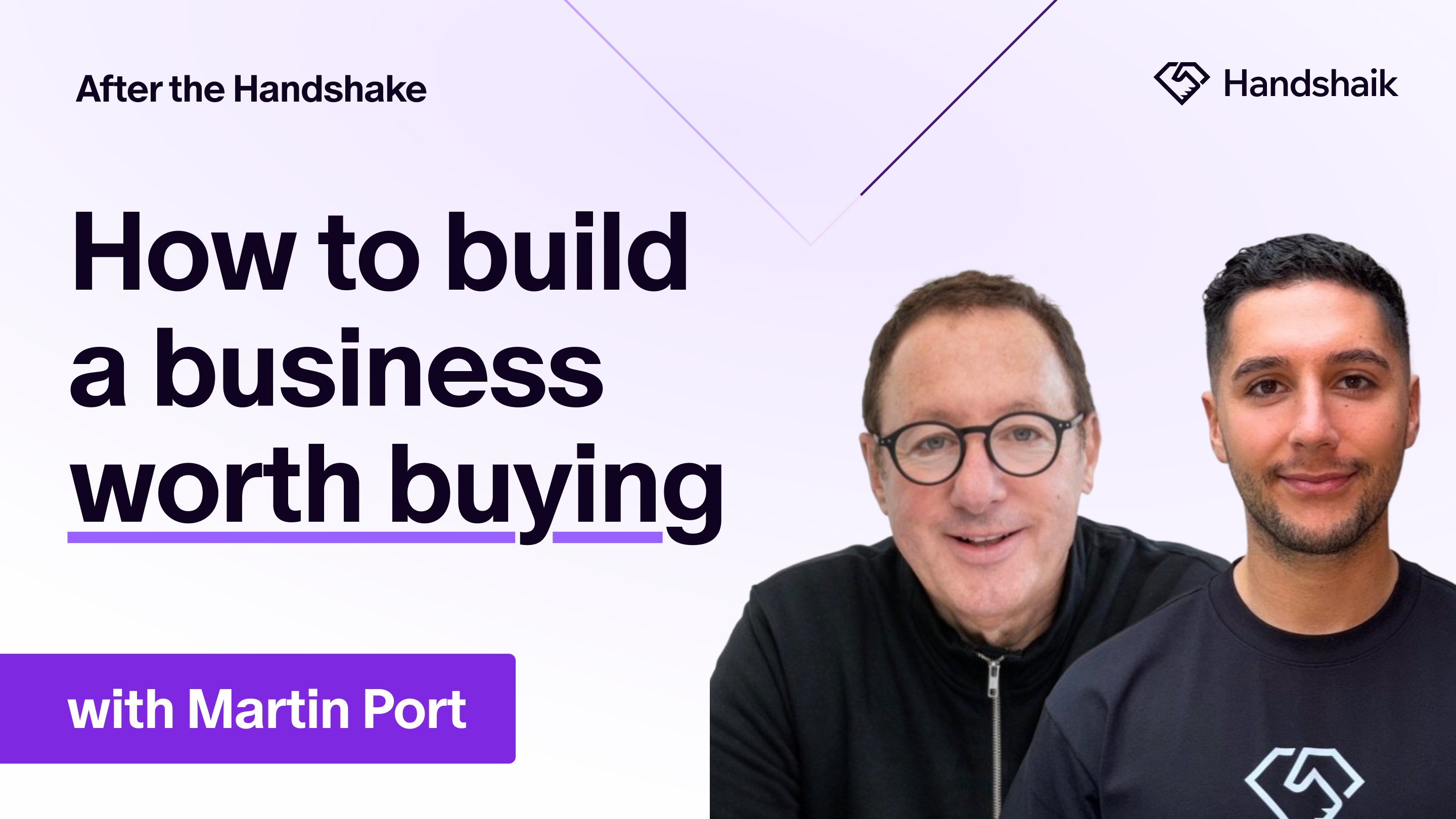
Martin Port has built three businesses so far, and had a nine-figure exit for his second business. A serial founder and entrepreneur, it's also probably no surprise to learn that he's Josh's dad, and the first guest on After the Handshake.
This episode covers Martin's journey in business so far. From starting Masternaut with almost nothing, making five acquisitions across two businesses, and navigating the 2008 financial crash and COVID without losing the business or the culture.
Martin is direct about what breaks first when you scale, why he'd rather stop a business than operate without trust, and how he structures deals to protect himself after the handshake. He also covers what founders get wrong when approaching private equity, and why agreeing everything upfront in the term sheet is not optional.
If you're building toward a transaction, raising capital, or trying to hold a culture together under pressure, Martin covers all of it with operational detail and no filler.
Martin's current business, Build Concierge, is already at nearly $2M ARR and targeting $12-14M next year.
After the Handshake | How to build a business worth buying with Martin Port
Written by
Josh Port
Founder & CEO
Jun 2, 2026
0
min.
Read
An AI-native platform that aims to transform the deal origination sector has raised £1.7m in pre-seed funding.
London-based Handshaik is the brainchild of Gen Z founder Joshua Port, who came up with the idea while working in M&A at KPMG.
The 26-year-old, who is the son of serial entrepreneur and BigChange founder Martin Port, realised that AI and workflow automation could streamline the process of identifying potential targets.
After building in stealth for 15 months, he launched Handshaik to the market earlier this year and has already compiled 5.5 million company profiles and attracted hundreds of users to the platform.
The startup recently closed a £1.7m pre-seed fundraise from more than 20 angel investors.
“I left school in Leeds at the age of 18 and landed a job as an apprentice at KPMG in London,”
said Josh.
“After three years I started working in deal origination and realised quickly how inefficient the process was. The technologies on offer were expensive, often lacked focus, delivered low-quality data and, crucially, failed to support the way originators actually work. From speaking to my peers in the market, it was obvious the problems I was encountering weren’t unique to me and that technology could offer a solution. Handshaik is a variation on the word ‘handshake’ because deals are built on relationships. That first introduction right through to completion is exactly where we come in."

“Because AI is at the centre of what we do, it’s also at the centre of our company name.”
Handshaik creates analyst-grade profiles on every UK company.
Its AI identifies the best-fit opportunities based on a user’s brief, using easy-to-understand language on why each company is a fit.
Relevant contacts are then enriched with verified emails and mobile numbers. From there, teams can monitor and nurture targets through a collaborative pipeline workflow, without manual admin.
“Deal origination is evolving,”
said Port.
“There is more data and more tools than ever before. Teams spend hours turning data into an actionable pipeline and this is time that could be spent building relationships. We saw an opportunity to rebuild that entire experience and create the first operating system for deal origination.”
Handshaik consolidates data on millions of UK companies into a single, comprehensive, real-time view of the market.
The platform draws on official filings from Companies House, backing it up with data from company websites, news sources and more.
The data is analysed and cleansed to make it usable and actionable. Handshaik’s proprietary data layer then supports decision-making throughout the workflow.
Handshaik is also being used by accountants, software and B2B firms.
Originally published by BusinessCloud, UK Tech Investment News, Startupmag.
Gen Z founder raises £1.7m for deals platform
Written by
Josh Port
Founder & CEO

May 22, 2026
0
min.
read
TL;DR
- Grateful, the UK’s fastest growing compliance and HR platform for the hospitality industry, could reach only 10% of its addressable market because the rest of the country's pubs, restaurants, and hotels don't live on LinkedIn.
- Every data tool they tried, from Lusha to Apollo to Cognism to Full Enrich, surfaced the same 5,000 businesses out of a possible 170,000.
- Adding the Handshaik platform to their go-to-market stack opened up the missing 90%+, feeding straight into the rest of Grateful’s tech stack.
- Mason Potter, Grateful's Co-founder, calls it the team's 'unfair advantage' and 'worth its weight in gold'.
- Next on the roadmap: signal-led intent, so Grateful can reach the right business at exactly the right moment.
The market is hiding in plain sight
Walk down any British high street, and you'll pass a dozen of Grateful's ideal customers. The independent pub. The four-site bistro. The hotel chain with a global footprint.
Hospitality is one of the UK's biggest industries, with around 170,000 businesses at the last count, whilst over 90% of them are small businesses, every one of them faces the same compliance headache that Grateful was built to solve. New tipping legislation, fair distribution, transparent reporting, and an app for staff. That's Grateful's wheelhouse.
The trouble is, most of those businesses aren't online in the way a B2B platform needs them to be.
A single-site pub, which is a very good customer for us, or a small restaurant group, they're not going to have a LinkedIn page. They'll have an Instagram page. And you can't run a B2B sales process through Instagram.
Mason Potter, Co-founder, Grateful
For two years, Grateful did what every ambitious B2B startup does. They picked the big-name go-to-market tools and stitched them together. Lusha, then Apollo, then Cognism, then Full Enrich. Sales Navigator on top. Clay for enrichment. Lemlist for sequencing. HubSpot as the source of truth.
Tens of thousands a month on what should have been a world-class stack.
Yet it still left them blind to 90%+ of their market.
So, why couldn't the rest see it?
Every modern go-to-market tool draws from the same well: LinkedIn. The brand name, price points, and data refresh cycles may change, but underneath? It’s the same pool of profiles. That works if your ideal customer is a SaaS executive or a law firm partner. It falls apart the moment your ideal customer is a chef who hasn't updated their profile since 2019, or a publican who never had one to begin with.
"We tried different systems; Sales Navigator, Lusha, Apollo, Cognism, FullEnrich — the problem wasn’t the filters or the features, it was that they were all just pulling from LinkedIn. For an industry like ours, where a single-site pub or small restaurant group doesn't have a LinkedIn page, that whole market just falls into the ether."
Grateful had two options. Accept that over 95% of the UK hospitality market would stay invisible. Or find a tool that looks somewhere other than LinkedIn.
The unlock
Instead of replacing Grateful’s existing tech stack, Handshaik is now a part of its process.
Josh, CEO of Handshaik, sent over a working list of ~50,000 hospitality businesses, drawn from data the legacy tools didn't index. Grateful piped the list into Clay to enrich each company with named decision-makers: HR directors, CFOs, MDs, and CEOs. From Clay, straight into Lemlist, where their commercial team runs the multi-channel sequences that have already doubled their outbound email response rate.
Integration was the easy part. Handshaik's list flows into Clay for enrichment, then into Lemlist for sequencing, then into HubSpot. Asked how seamless the process was, Mason's answer was two words: ‘really easy’.
What changed wasn't the workflow. It was the market access.
"The unfair advantage we're now getting with Handshaik is that we can actually access our total addressable market in one platform. It unlocks the rest of the market we weren't able to see before. That in itself is worth its weight in gold."
Mason Potter, Co-founder, Grateful
Where it goes next
Grateful went from start-up to 22 people in two years. Triple-digit revenue growth, headcount more than doubled, plans now stretching beyond the UK and into adjacent services. None of that happens if ~90% of your market stays dark.
Mason isn't done with Handshaik either.
"Gone are the days when you could put 100 emails into a sequence every day and hope for a 1% conversion. People see through the fluff. A tool that tells you the right time to reach out, with the right insight and intent, is super valuable."
Signal-led intent. End-to-end enrichment. More of Grateful's go-to-market stack consolidated into one place. That's the conversation now.
For a company built to bring hidden effort into the light, it's fitting that the breakthrough came from finally seeing the businesses everyone else missed.
See the market you've been missing
Find the 90% your stack can't reach at handshaik.com.
The 90%+ problem: how Grateful unlocked the market no one else could see
Written by
Josh Port
Founder & CEO



.svg)
.svg)

.svg)


.png)